

369,956
Views
Beginner
Level
71
Comments
Crash Course: Let's Make a Game! (Part 5)
by Jon (Updated on 2015-10-17)
Part 1 (Intro) - Part 2 (Resources) - Part 3 (Actors) - Part 4 (Create a Scene) - Part 5 (Test your Game)
Test Your Game! (Part 5 of 5)
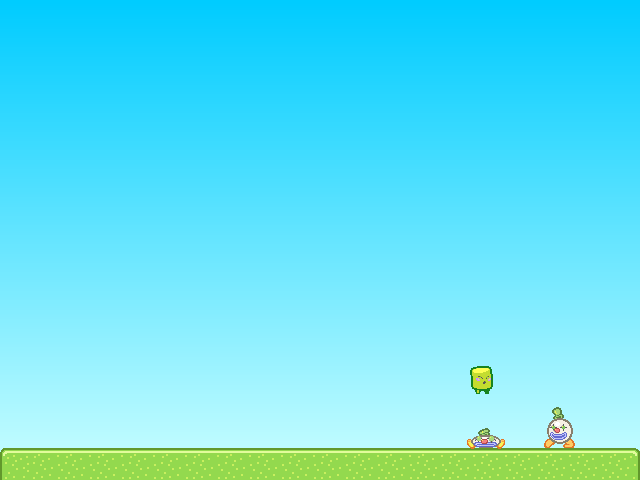
Click the Test Game button in the top toolbar to give your game a try.

You should be able to walk with the left and right arrow keys and jump with “z”.
Try pushing the Clown Actors around and jumping on them. If you fall off the screen, the Scene should reload.
Note: You can quickly test your game at any time using the keyboard shortcut Ctrl-Enter (or Command-Enter on Mac).
Congratulations!
You've just created and tested your first game in Stencyl. That's quite an accomplishment already, and we've barely even scratched the surface of Stencyl's capabilities.
Where do I go from here?
There's a whole lot more to Stencyl, and we encourage you to experiment on your own and read through the rest of Stencylpedia to find out how to import your own resources, create your own Behaviors, and enable Stencyl to help you create the games of your dreams.
If you'd like a more in-depth guided tour, we recommend jumping straight into Crash Course 2, where you can create your own Space Invaders-like game.
Troubleshooting
When I fall into the pit, the scene doesn't reload.
As directed in Part 3 at the end of the Customizing Noni section, attach the Die in Pit and Reload Behavior to Noni.
Noni goes through the Clowns
Don't forget to set Clown's Group to Enemies.
I receive a Flash error when running the game. The screen is just white.
Please post a topic on the forums and attach the game to your post. (Use File > Export Game... to do this)
Print Article Edit Article How to Edit an Article71 Comments

I replaced the Noni with my own character but I did set it all the same. I followed the tutorial from A to Z but my character couldn't jump and squish the coins aka the enemies. Anyone here can help??
3


Can anyone tell me how I can make the enemies move? They just... Walk in place. Please help!
5

Hey, there. I really appreciate this tutorial. It was very easy to follow. Learned a few things but have long way to go in my educational gaming learning.
3


why do I need to press 'z' to make jump the player. I did not assign 'z' key for that. How did this happen?
5


Hello everyone! Already I apologize for my English but I am French and not very gifted. I encountered a problem when testing the game. Stencyl shows me: "Encountered errors while building your game. Check your logs and post them to the forums."
Can you guide me through the process?
Thank you for your help.
5


