

369,958
Views
Beginner
Level
71
Comments
Crash Course: Let's Make a Game! (Part 5)
by Jon (Updated on 2015-10-17)
Part 1 (Intro) - Part 2 (Resources) - Part 3 (Actors) - Part 4 (Create a Scene) - Part 5 (Test your Game)
Test Your Game! (Part 5 of 5)
Click the Test Game button in the top toolbar to give your game a try.

You should be able to walk with the left and right arrow keys and jump with “z”.
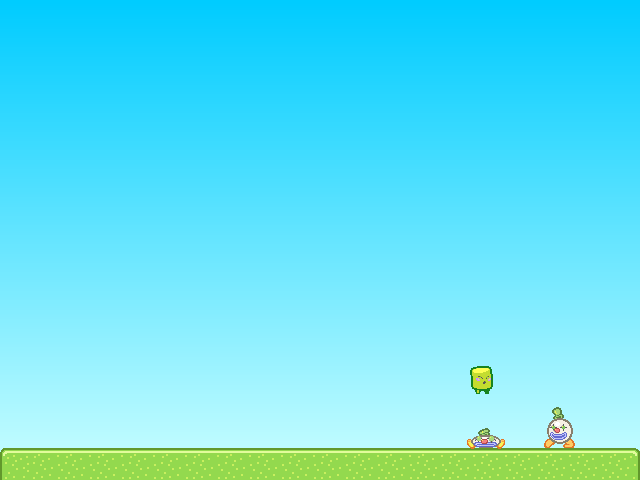
Try pushing the Clown Actors around and jumping on them. If you fall off the screen, the Scene should reload.
Note: You can quickly test your game at any time using the keyboard shortcut Ctrl-Enter (or Command-Enter on Mac).
Congratulations!
You've just created and tested your first game in Stencyl. That's quite an accomplishment already, and we've barely even scratched the surface of Stencyl's capabilities.
Where do I go from here?
There's a whole lot more to Stencyl, and we encourage you to experiment on your own and read through the rest of Stencylpedia to find out how to import your own resources, create your own Behaviors, and enable Stencyl to help you create the games of your dreams.
If you'd like a more in-depth guided tour, we recommend jumping straight into Crash Course 2, where you can create your own Space Invaders-like game.
Troubleshooting
When I fall into the pit, the scene doesn't reload.
As directed in Part 3 at the end of the Customizing Noni section, attach the Die in Pit and Reload Behavior to Noni.
Noni goes through the Clowns
Don't forget to set Clown's Group to Enemies.
I receive a Flash error when running the game. The screen is just white.
Please post a topic on the forums and attach the game to your post. (Use File > Export Game... to do this)
Print Article Edit Article How to Edit an Article71 Comments

whenever i walk, it looks like he's jumping... in a straight like. he can't jump either. HELP ME!
-1


OK... Problem A:
1) Clowns go through tiles - You need to select Clown - > Properties and make sure Group "Enemies" is chosen. Most important You have not selected "Tiles" as Collides Width.
2) If you want Nomi to "push" Clowns around too - "Actors" and "Players" should be selected as Collides with as well in Clown -> Properties -> Groups.
So in short 3 options are "GREEN" Players, Tiles, Actors in Clown Collision Groups for this demo to work.
Problem B Sound:
Flash Player - > Use included sounds
Other export options OOG -> You need to convert sounds in Audacity or online sites that allow upload and conversion of MP3 to OOG
4


Hi. Before you test your game, on the top right, change the option from "Android" to "Flash (player)". It worked for me on Windows without prompting any errors.
0

I tried to test the game on linux.It didn't work because i needed OGG sounds so then i changed the sounds and still didn't work so i checked the logs and i got this.
2016-07-19 15:01:09,142 ERROR [pool-1-thread-3] stencyl.sw.io.write.resource.HXWrit er: Failed: Running Standalone (linux). (Return code: 2)
2016-07-19 15:01:09,144 ERROR [pool-1-thread-3] stencyl.sw.util.dg.MessageDialog: Encountered errors while building your game.: Check your logs and post them to the forums. - Please describe what you have been doing. Be as specific as possible.
Anybody knows what it is?
1


What to do if my keyboard goes like this: YXC? I have to move my hand at the place where normaly Y would be ,but that is really uncomfortable. How can I fix that?
0


action1 button is space button, isn't it?
But when I tried to press space, Nani doesn't jump.
0


