

369,959
Views
Beginner
Level
71
Comments
Crash Course: Let's Make a Game! (Part 5)
by Jon (Updated on 2015-10-17)
Part 1 (Intro) - Part 2 (Resources) - Part 3 (Actors) - Part 4 (Create a Scene) - Part 5 (Test your Game)
Test Your Game! (Part 5 of 5)
Click the Test Game button in the top toolbar to give your game a try.

You should be able to walk with the left and right arrow keys and jump with “z”.
Try pushing the Clown Actors around and jumping on them. If you fall off the screen, the Scene should reload.
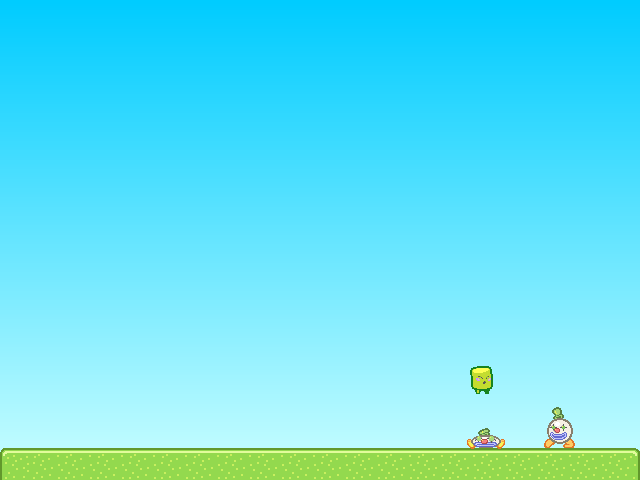
Note: You can quickly test your game at any time using the keyboard shortcut Ctrl-Enter (or Command-Enter on Mac).
Congratulations!
You've just created and tested your first game in Stencyl. That's quite an accomplishment already, and we've barely even scratched the surface of Stencyl's capabilities.
Where do I go from here?
There's a whole lot more to Stencyl, and we encourage you to experiment on your own and read through the rest of Stencylpedia to find out how to import your own resources, create your own Behaviors, and enable Stencyl to help you create the games of your dreams.
If you'd like a more in-depth guided tour, we recommend jumping straight into Crash Course 2, where you can create your own Space Invaders-like game.
Troubleshooting
When I fall into the pit, the scene doesn't reload.
As directed in Part 3 at the end of the Customizing Noni section, attach the Die in Pit and Reload Behavior to Noni.
Noni goes through the Clowns
Don't forget to set Clown's Group to Enemies.
I receive a Flash error when running the game. The screen is just white.
Please post a topic on the forums and attach the game to your post. (Use File > Export Game... to do this)
Print Article Edit Article How to Edit an Article71 Comments

@sTENCYLER123 did you set vertical gravity under Main Scene's Physics tab to 85 like it the tutorial mentioned in Part 4?
2

This is weird when I try to make Noni jump he flies and then he disappears from the top of the screen can any body plzzzzzzz help
2

The document clearly says...
Disclaimer: Use comments to provide feedback and point out issues with the article (typo, wrong info, etc.).
If you're seeking help for your game, please ask a question on the forums. Thanks!".
If you cannot be bothered to read the docs (or just ignored them), why would anyone spend their time helping you out?
3

OK...Very good tutorial but PLEASE tell
1.I can copy this game at my website or not!?(I test it like HTML 5(Beta) and I copy exactly everything(copy paste the code and the javascript into the 3 others files!))
2.It is anyproblem with Copyright?
Thanks for help;)
1

Hello um i'm using a Macbook Pro, version el capitan. And it says in order to test my game, I have to install 'Neko VM'. #1. It required the systems password, so we put it in and nothing happened.. How can I make it work?
6


When i press Test Game it says that i have to check my logs and post them to my forums
-1

when I test the game it was always java(tm) stopped working and styncyl program would close.. pls suggest me a solution. my OS was windows 7 ultimate
-1


