

369,961
Views
Beginner
Level
71
Comments
Crash Course: Let's Make a Game! (Part 5)
by Jon (Updated on 2015-10-17)
Part 1 (Intro) - Part 2 (Resources) - Part 3 (Actors) - Part 4 (Create a Scene) - Part 5 (Test your Game)
Test Your Game! (Part 5 of 5)
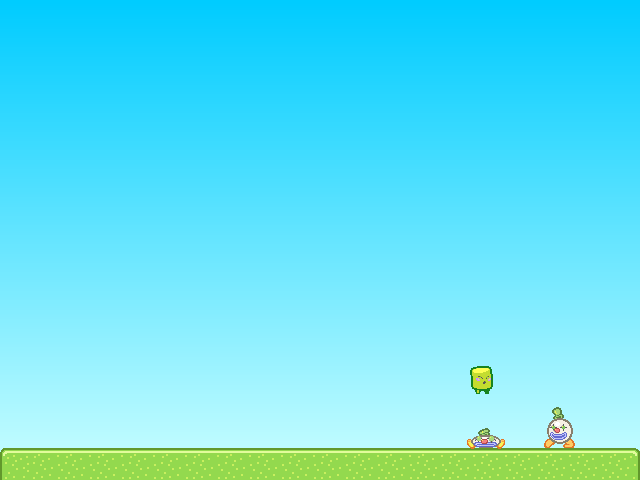
Click the Test Game button in the top toolbar to give your game a try.

You should be able to walk with the left and right arrow keys and jump with “z”.
Try pushing the Clown Actors around and jumping on them. If you fall off the screen, the Scene should reload.
Note: You can quickly test your game at any time using the keyboard shortcut Ctrl-Enter (or Command-Enter on Mac).
Congratulations!
You've just created and tested your first game in Stencyl. That's quite an accomplishment already, and we've barely even scratched the surface of Stencyl's capabilities.
Where do I go from here?
There's a whole lot more to Stencyl, and we encourage you to experiment on your own and read through the rest of Stencylpedia to find out how to import your own resources, create your own Behaviors, and enable Stencyl to help you create the games of your dreams.
If you'd like a more in-depth guided tour, we recommend jumping straight into Crash Course 2, where you can create your own Space Invaders-like game.
Troubleshooting
When I fall into the pit, the scene doesn't reload.
As directed in Part 3 at the end of the Customizing Noni section, attach the Die in Pit and Reload Behavior to Noni.
Noni goes through the Clowns
Don't forget to set Clown's Group to Enemies.
I receive a Flash error when running the game. The screen is just white.
Please post a topic on the forums and attach the game to your post. (Use File > Export Game... to do this)
Print Article Edit Article How to Edit an Article71 Comments

@JetGodoy: MP3 => OGG conversion
Install Audacity: https://sourceforge.net/projects/au dacity/
Search for *.mp3 files in your workspace folder, you will find two: 1.mp3 and 2.mp3.
They should be in a subdirectory like: ...\stencylworks\games\Crash Course Game\resources
You will find them twice, once in the game folder and once in the kit. You can use any of these, just pick one.
Open these files (one by one) in Audacity and export in OGG format to your Desktop, name them as 1.ogg and 2.ogg respectively.
In Dashboard / Resources / Sounds open the Jump and Stomp sounds, it will open two new tabs.
In the Jump tab drop 1.ogg on the "Import OGG" area.
In the Stomp tab drop 2.ogg on the "Import OGG" area
A green tick mark should appear in front of the "OGG is imported?" line in both cases.
Maybe it would be a good idea to automate this conversion without having to leave Stencyl.
1

I was able to get it working, and I found something silly while testing. If you push all the clowns together and have Noni jump on them all at once, you get the momentum from all of them at once, sending you flying much higher than you otherwise would.
Overall though, great tutorial. Helped me understand the basics of the program quite easily.
2

Gah! I don't know why Noni only pushes Clown, and when Noni tries to stomp Clown, it just stands on top of Clown.
0

Okay, so when I try to test the game, the clowns don't fall through the floor, and nothing weird happens, but Noni won't move, nor right, nor left, he doesn't jump, and I don't know why, can somebody please help?
0

If you are having trouble with clown falling through the platform, click on settings, then on the left click on groups, make sure you have "enemies" selected, and then have collisions selected for "players" and "tiles"
0


Great! Easy to follow Tut. I liked the way you had screen shots for every step. Not many other product tuts are so well thought out. Well done. Works as promised...
-1

When I test the game it runs fine, but once I press left or right noni gets stuck moving in one direction and can jump only once. This persists beyond resets.
0

Whoa It's Compelity Working
Troubleshoting: 1) Check your "Stomp On Enemies (Behaviors" At Noni) "and select the "Stompable Group" To "Enemies
2) Check your "Stomp On Enemies (Behaviors" At Noni)" and select the "Jump Key" To "action1(or your<jump key>)
0

I got some bugs too... Game flashes out to black, like every second, from normal to black and back... And when flash completes everything is respawned. Did i do something wrong or just Crash Course pack is outdated?
0


